If you have one or more triggers, aliases, timers or other things like that on the Windows clipboard in XML format, you can import them in a batch by using the File -> Import dialog.
Copy the triggers, aliases to the clipboard, as in this example:
<triggers>
  <trigger
   custom_colour="2"
   enabled="y"
   group="eat_drink"
   match="You are thirsty."
   name="thirst_trigger"
   sequence="100"
  >
  <send>get flask bag
drink flask
put flask bag</send>
  </trigger>
</triggers>
<aliases>
  <alias
   match="gfb"
   enabled="y"
   sequence="100"
  >
  <send>get food bag</send>
  </alias>
</aliases>
Go to the File menu -> Import, and you will see this dialog box:

You can uncheck various checkboxes if you want to limit what is imported (eg. to only triggers) and then click the "Clipboard" button to import from the clipboard (or the "File" button if the XML is in a disk file).
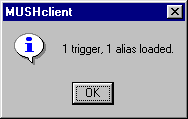
You will then see a count of how many of each thing was imported, like this:
You can now go into the world configuration screen to see the details of the imported items.