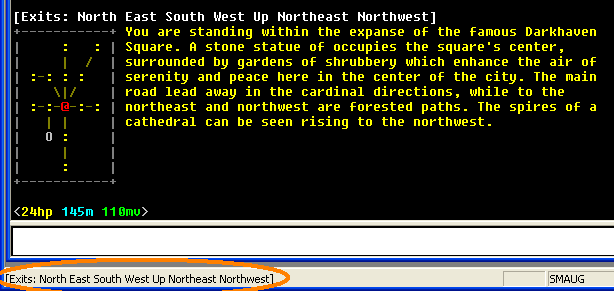
It can be handy to see what the current exits from your room are, even though the room description (and list of exits) might have scrolled off the screen during some lengthy chats.
To do this, let's look at an example MUD, where the exits line looks like this:

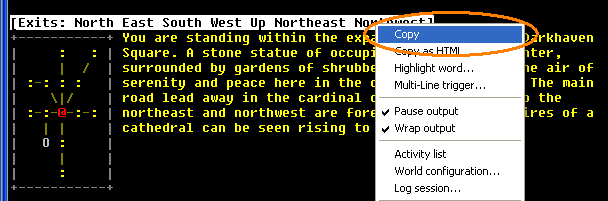
To get the exact format right, Shift+Double-Click on the "exits" line to select it, and then Right-Click to bring up the context menu. Select "copy" from that:
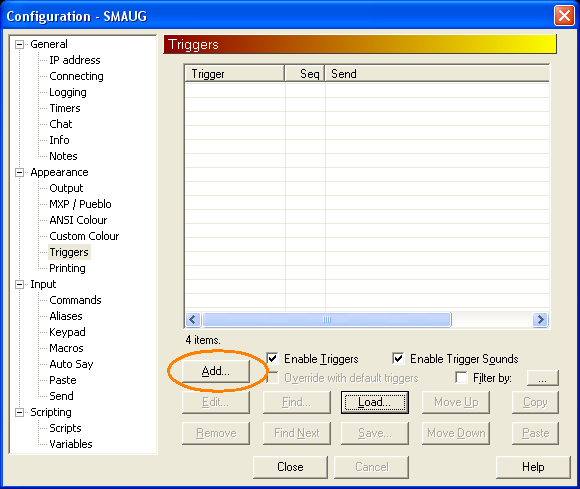
Open the world configuration dialog, and select "triggers" (Shift+Ctrl+8 is one way of doing this). Then click "Add" to add a new trigger:
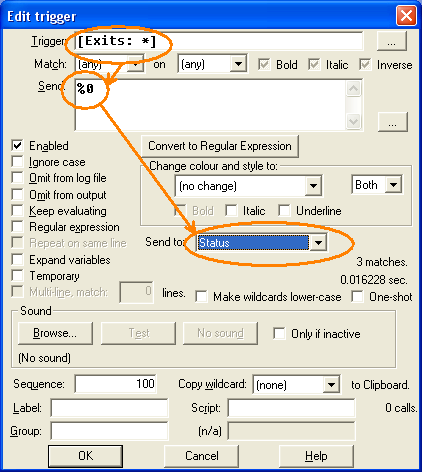
Paste in the copied Exits line, and then replace the actual exits with an asterisk (as the exits will be different each time). We also need to send "%0" (the entire matching line) to the Status line, like this:
We can click OK to save the trigger, and "Close" to close the Triggers configuration list. Now we can test it by doing a "look". You can see that the Exits line also appears in the Status bar at the bottom of the screen, ready to be consulted at any time. As you move from room to room the status line updates.